
Play Rocket Goal Unblocked Online
Play Rocket Goal Unblocked in the browser player above. Drive a rocket-powered car, line up shots, and recover to defend your net. This guide covers the controls, match flow, shooting angles, and defensive decisions that help you make each touch count in every match.
Game Information
- Genre
- Multiplayer car soccer game
- Creator
- PocketHaven Games
- Release
- Browser service; original launch date not confirmed
- Format
- Browser game
What Is Rocket Goal?
Rocket Goal is multiplayer soccer played with rocket-powered cars. Your vehicle replaces the footballer: driving sets up the approach, contact with the car moves the ball, and jumps let you challenge above the ground. Every attack also leaves a defensive decision behind it. You need to create a shot without losing the route back to your own net.
How to Play Rocket Goal Unblocked
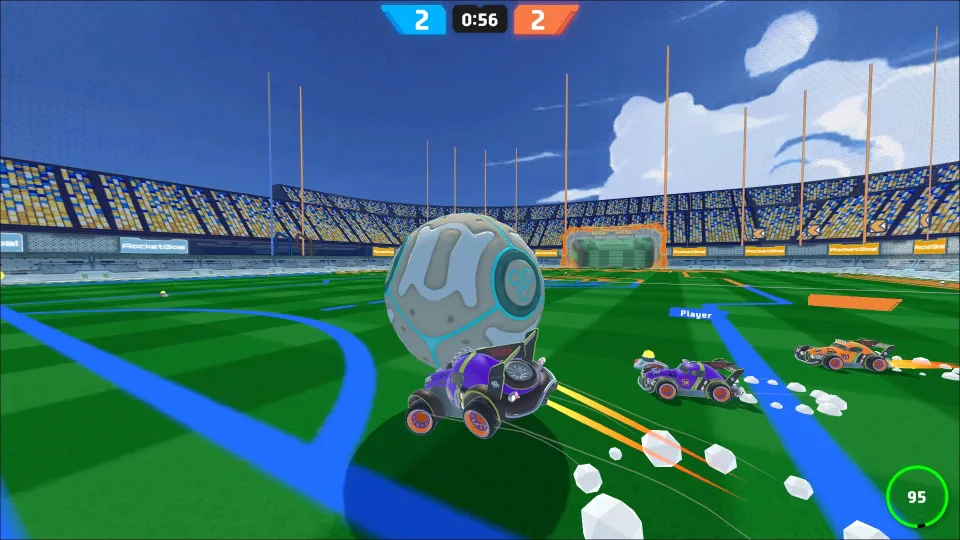
Press Play Now above, allow the game to load, and choose an available match from its menu. Once on the field, identify your own goal and the opposing net. Drive into the ball to direct it toward the opposition’s goal, then reposition for the next touch. The basic aim is to score while preventing the other side from doing the same.
Follow the ball after contact rather than treating each hit as a separate turn. A rebound can change an attack into a defensive chase immediately. When the ball comes back toward your half, turn to cover the goal; when it moves into open space ahead, decide whether you can reach it with a useful angle. Watch the match display for the current score and any mode-specific instructions.
In matches with teammates, the nearest car does not always need help at the ball. One player can challenge while another stays behind the play to intercept a return.
Match Structure and Flow
In live play, each round runs for about three minutes with an active countdown timer. That short duration keeps matches fast and decisive, giving you enough time to mount an attack or defend a narrow lead without dragging on.
The ball resets to midfield after each goal, placing cars back at starting positions for a fresh kickoff. Use the brief countdown to reset your angle, coordinate your boost approach, and challenge for the opening touch.
Controls
- Drive and steer: WASD or arrow keys.
- Jump: K or right mouse button. Boost: J or left mouse button.
- Drift: Shift. Air roll: Q and E. Change camera: Space.
- Mobile: on-screen touch steering and action buttons in landscape mode.
Click inside the player before testing keyboard input. Learn the driving response first: move toward the ball, ease off before contact, then turn back toward your goal. Add one action at a time. Test a short boost on a straight approach, then practice a jump separately so you can recognize how it changes the timing of contact.
Use the camera control to find a view that helps you track both the ball and your route. If you lose sight of your car’s heading, regain your bearings before accelerating. On a touch device, check that you can steer and reach the action buttons comfortably before committing to a match.
Objectives
- Score in the opposing net.
- Defend your goal and recover after challenges.
- Use jumps and boost to reach useful ball angles.
Gameplay Mechanics
The important relationship is between the car’s heading, its speed, and the point where it meets the ball. Reaching the ball first is useful only if the resulting touch helps your next move. A fast collision can send play away from you, while a controlled approach can leave room to follow up.
Contact Angle and Speed
Picture a line from your car through the ball toward the intended destination. An approach along that line is easier to judge than a sideways collision. Turning only at the last moment changes where the car strikes the ball and can send it across the field instead of toward goal. More speed increases the commitment of the approach, so leave space to correct the heading before the final run-up.
Boost, Height, and Landing
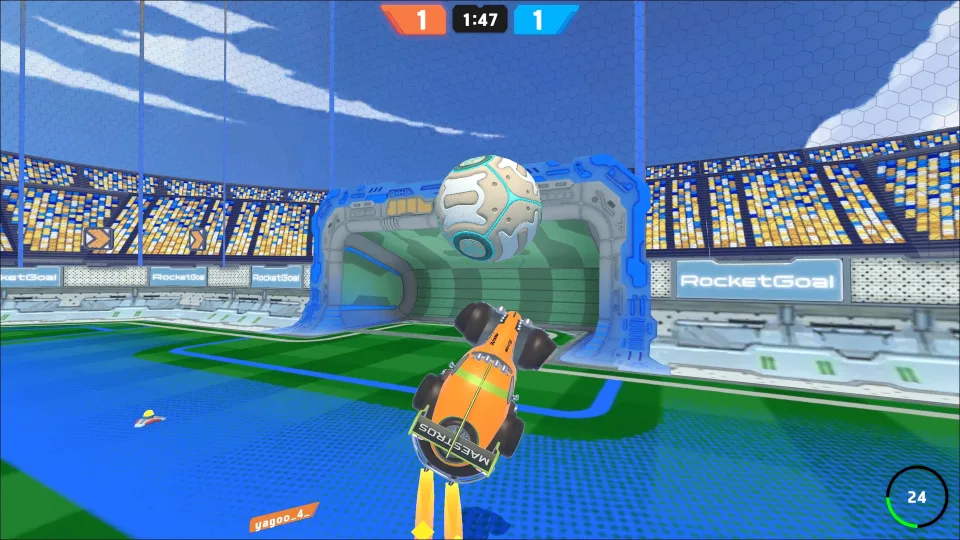
Boost is useful for closing distance once you have chosen a route. A burst during a sharp turn can carry the car past the contact point, while a jump introduces another timing decision: the car and ball must meet at a useful height. Watch a rising or falling ball before taking off. Include the landing in your plan, because finishing a challenge facing away from play delays your next response.
Tips & Strategies
- If your car is beside the ball, improve the approach angle before accelerating into a shot.
- If an opponent can shoot before you reach the ball, cover the route to your net instead of chasing from behind.
- If a teammate is already making a clean approach, leave room for the touch and cover the next loose ball.
Create a Shooting Lane
Look at the defender before choosing a target. Aim at reachable space in the net rather than automatically driving toward its center. If the direct route is crowded, a touch to a different angle may create a better attempt. Resist using maximum speed simply because you are close to goal; a deliberate hit into open space can be harder to block than a powerful shot into a waiting car.
Clear Safely and Recover
Near your own goal, judge where a clearance will finish. Pushing the ball toward the middle can hand the opposition another attempt. When the approach allows it, guide the ball outward toward a side. Avoid sweeping it across the face of your net just to make contact. Getting behind the ball can be more valuable than reaching it a fraction sooner from an unsafe angle.
After a missed shot, locate the ball before turning back into the crowd. If another car already has the next challenge, recover toward a position that covers a return. Following every touch into the same corner leaves the rest of the field exposed. In a team match, give yourself a different angle from the attacker so one deflection cannot take both cars out of the play.
Fix One Mistake at a Time
Choose one pattern to work on during your next session. If shots keep going sideways, adjust the starting angle. If you overshoot the ball, reduce the final burst of speed. If opponents score after your attacks, focus on where you finish each shot. Keep the other parts of your approach similar, so you can tell whether the change helped instead of guessing from the final score.
Accessibility and Platform Benefits
Rocket Goal Unblocked opens directly in the browser player on this page without a separate game installation. You can bookmark the page or share its link to jump back into a match anytime.
The game runs smoothly across desktop, mobile, and tablet browsers. On a computer, use keyboard and mouse controls for precise touches and aerial steering; on a phone or tablet, rotate to landscape mode for the best view and touch layout.
Casual Parlor provides free browser access to the player. Playing unblocked depends on your local network permissions, requiring access to both this page and the game service.
FAQs
Is Rocket Goal unblocked?
It depends on your network’s access rules. You can play through the browser player on Casual Parlor when both this page and the embedded rocketgoal.io service are accessible. “Unblocked” does not guarantee access on every network.
Where can I play Rocket Goal online?
You can play Rocket Goal online in the player at the top of this Casual Parlor page or visit the game’s own website, rocketgoal.io. Press Play Now here and allow the game to load. Online matches require an internet connection and an available game server.
Is Rocket Goal the same as RocketGoal.io?
Yes. On Casual Parlor, Rocket Goal refers to RocketGoal.io, the multiplayer car soccer game by PocketHaven Games. This page embeds rocketgoal.io directly; the shorter page name does not describe a separate game or a special modified edition.
Is Rocket Goal available on Crazy Games?
Yes. RocketGoal.io is available on platforms like CrazyGames, but you can play it directly in your browser on Casual Parlor with no installation needed. Both versions deliver the same fast-paced car soccer gameplay.
Why is Rocket Goal banned at some schools?
If Rocket Goal is blocked on a school network, it may fall under a general restriction on gaming sites or non-classroom activities. That does not by itself establish a ban specifically targeting this game. Your school’s network administrator can explain the actual reason and whether recreational access is allowed.
Are there Rocket Goal hacks or cheats?
We have not verified any official Rocket Goal cheat codes, and Casual Parlor does not provide hacks or modified game clients. Claims of unlimited resources or guaranteed wins are not verified here. To improve your results, use the guide above to practice shot alignment, boost timing, and recovery after a missed challenge.
Do I need to download Rocket Goal?
No separate game installation is required to play the browser version on Casual Parlor. Press Play Now and wait for the player to load. Your browser still downloads the game’s files as part of loading the page, and online matches need an internet connection.
What are the controls for Rocket Goal?
Desktop controls let you steer with WASD or arrow keys, jump with K or right-click, and boost with J or left-click. Use Shift to drift around sharp turns, Q and E for aerial rolls, and Space to change your camera view. Click inside the player first so your keyboard input registers immediately.
How long does a Rocket Goal match last?
A standard match lasts about three minutes. The on-screen timer counts down throughout regulation, keeping rounds brisk and competitive while giving teams enough time to score or mount a comeback.
What happens after a goal in Rocket Goal?
After every goal, the ball resets to midfield and cars return to starting kickoff positions. A brief countdown gives you time to align your camera and boost route before the next scramble for possession.
Is Rocket Goal free, and are there in-game purchases?
Yes. Rocket Goal is completely free to play directly in your browser on Casual Parlor. There are no fees or downloads required to jump into a match and play.
Can I play Rocket Goal on a phone or tablet?
Yes. Rocket Goal runs in modern mobile and tablet browsers with touch controls. For the best experience, rotate your device to landscape mode so you have ample room to steer and trigger boost or jumps comfortably.


