
Play Golf Hit Unblocked
Play Golf Hit Unblocked in the player above, then use this spoiler-light guide for the premise, core mechanics, controls, objectives, and version differences.
Golf Hit Game Information
- Genre
- Golf distance game
- Release
- Browser edition
- Format
- Browser game
Golf Hit: What Is the Game?
Golf Hit turns a golf swing into a compact distance challenge. Stop the moving power indicator at the best moment, launch the ball, and use each attempt to travel farther and improve your record.
Golf Hit: How to Play
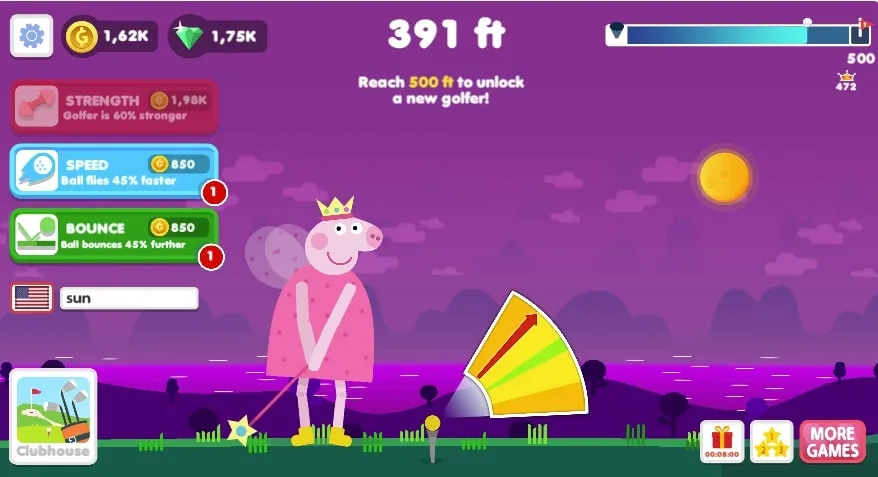
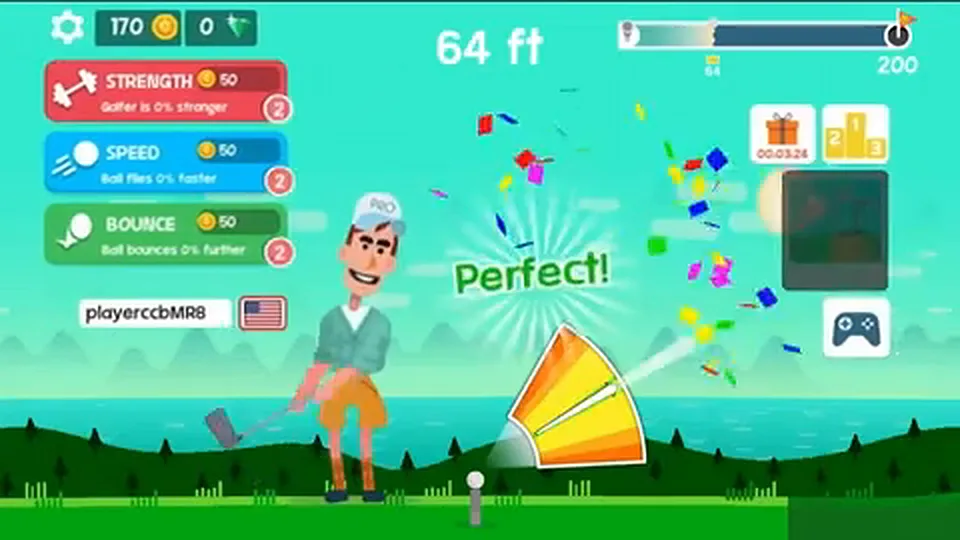
Watch the swing or power indicator move through its timing zone. Click, tap, or press the shown key when the indicator reaches the strongest position. Use rewards from successful shots to improve later attempts and chase more distance.
Begin with a practice swing rather than trying to set a record immediately. Watch one complete movement of the indicator and identify the point you want to hit. On your next attempt, make one deliberate input as it approaches that point. Keep your eyes on the indicator until the swing happens; looking ahead at the flight too early can make the timing harder to repeat.
After the launch, follow the ball until the attempt finishes. Notice the initial flight, the first landing, and how much extra travel comes after contact with the ground. These observations give you a better comparison than a single final number. A shot that starts strongly can finish differently from another attempt, so avoid judging every change from just one swing.
Read the result before starting again. Compare the distance with your previous attempt, then check the available upgrade menu. If you buy an improvement, keep your launch routine similar for the next few shots. This creates a useful loop: time the swing, watch the result, make one adjustment, and try again. You do not need to rush through menus to make progress.
Controls
- Desktop: click the game screen to swing.
- Touchscreen: follow the on-screen tap prompt.
- Keyboard: use only shortcuts shown by the loaded version.
On a computer, start with the mouse: click inside the game area and follow the visible swing prompt. The reference listing documents clicking to hit. Treat any keyboard shortcut as something to confirm from the loaded game's own instructions; Space should not be assumed to work in every embedded edition. If it scrolls the page instead, return to the mouse control.
On a touchscreen, use the game's visible touch prompt and keep the timing indicator clear of your finger. Choose a comfortable grip before beginning a series of attempts. If the browser player feels cramped, try the page's fullscreen control or rotate the device, then check where the button and indicator have moved. Relearn the screen position before comparing your next result.
When an input seems late, first check whether you clicked the play overlay, a menu button, or the actual game. Press Play Now once and let loading finish. Use a single clean click for each intended swing. Repeated tapping makes it difficult to tell which input registered, while changing input methods between attempts makes your timing comparisons less useful.
Golf Hit Objectives and Scoring
- Set a new longest-shot record.
- Improve the timing of the initial swing.
- Use earned rewards on useful upgrades.
Golf Hit Gameplay Mechanics
Golf Hit measures a swing by how far the ball travels. Watching its flight and bounces is part of each attempt, while upgrades provide a longer progression loop. Consistent launches make it easier to judge which improvement helped.
Reading Distance and Progress
Use the end-of-attempt distance as your main comparison, and keep the best-distance display separate from any spendable reward balance. A personal record describes how far one shot traveled; a balance tells you what you can currently spend. Before buying anything, read the upgrade label and its cost. Do not assume that two numbers on the screen measure the same kind of progress.
Set a small target that you can evaluate across several attempts. You might aim to repeat a clean launch three times, bring your typical distance closer to your best shot, or test one affordable improvement. These goals give unsuccessful record attempts a purpose. A shorter shot can still help you understand whether you acted too early, too late, or with a different setup.
Timing the Launch
The moving indicator is the cue for your swing. A useful practice method is to choose a visual reference point and notice whether your input arrives before or after it. If you consistently overshoot that point, try acting a little earlier on the next attempt. Avoid changing your timing by a large amount after every miss; small corrections are easier to assess.
Flight, Bounces, and Upgrades
The reference version describes strength, speed, and bounce upgrades. Their labels distinguish the initial hit, launch velocity, and travel after rebounds. Use the upgrade names, descriptions, and prices shown in the player to plan your next purchase. Choose one improvement you can afford, then compare several similarly timed shots before deciding what to buy next.
For a practical comparison, keep a short note of your usual distance before spending a reward. Buy one available improvement, then take a few similarly timed shots. Look for a repeated change rather than expecting every result to improve. If your timing varies widely, practice that first; otherwise the difference between a good and poor input may obscure the effect of the purchase.
Golf Hit Tips & Strategies
- Aim for consistent timing near the center of the power zone before trying to hit its absolute edge.
- A clean launch is more valuable than hurried input, so learn the indicator rhythm first.
Build a Repeatable Swing Routine
Choose the same starting routine for a short practice session: settle the pointer, watch the indicator, and make one input at your chosen moment. After each shot, describe the timing simply as early, close, or late. That gives you a concrete adjustment for the next attempt instead of an unhelpful verdict that the entire shot was bad.
Compare Typical Shots, Not Just Records
A best shot is a useful milestone, but your ordinary attempts show whether your control is improving. Compare a small group of shots before and after a change. If only one result improves, keep practicing before drawing a conclusion. If several results become more consistent, you have a stronger reason to keep the adjustment even when the record has not moved yet.
Spend With a Question in Mind
Before selecting an upgrade, decide what you want to learn from it. You might compare the opening flight or pay attention to the distance added after the first bounce. Read the menu description, make one purchase when affordable, and observe that part of the next attempts. Buying several things together can be satisfying, but it makes each improvement harder to understand.
Reset Your Focus After Misses
Several rushed swings in a row are a reason to pause your input, not to click faster. Watch the indicator again without immediately committing to a shot. If you changed fullscreen mode, device orientation, or seating position, give yourself a new practice attempt. A familiar visual setup helps you separate a timing mistake from a change in how you are viewing the game.
Enjoy timing your shots? Try rocket goal unblocked for a faster-paced car soccer challenge.
Golf Hit FAQs
Is Golf Hit unblocked?
You can play Golf Hit on Casual Parlor when your network allows access to this page and the embedded game host. The word unblocked does not guarantee access on every school, work, or public network.
Where can I play Golf Hit online?
Use the player at the top of this Casual Parlor page and press Play Now. The linked 1Games.IO listing also provides a reference version. Allow the game files to finish loading before attempting your first swing.
Is this Golf Hit the same as the 1Games.IO version?
This page loads Golf Hit from games.yoplay.io and uses the 1Games.IO listing as a gameplay reference. For controls, upgrade choices, and menu options in the version you are playing, follow the prompts in the player above.
How do I hit the ball farther in Golf Hit?
Watch the moving power indicator and practice hitting the same strong timing point on each swing. Spend earned rewards on the upgrades shown in the game, changing one at a time. Compare several similarly timed shots to see whether the upgrade improves your usual distance.
Why is Golf Hit blocked at some schools?
A school may restrict gaming websites or embedded game services as part of its general network rules. A failed load does not establish a ban specifically targeting Golf Hit. Ask the network administrator whether recreational access is permitted.
Are there Golf Hit hacks or cheats?
Casual Parlor provides the browser player, not hacks or cheat codes. To improve your distance, practice a repeatable launch, compare several shots, and spend earned rewards on the upgrades available in the game. The timing and upgrade tips above give you a practical starting point.
Do I need to download Golf Hit?
No separate game installation is needed to use the browser player on Casual Parlor. Your browser still loads game files over the internet. Wait for loading to finish, then follow the controls displayed inside the game.
What are the controls for Golf Hit?
Watch the moving indicator and click the game screen to swing, as described in the reference listing. On a touchscreen, follow the touch prompt. Use keyboard shortcuts only if the loaded version shows them in its instructions.


